
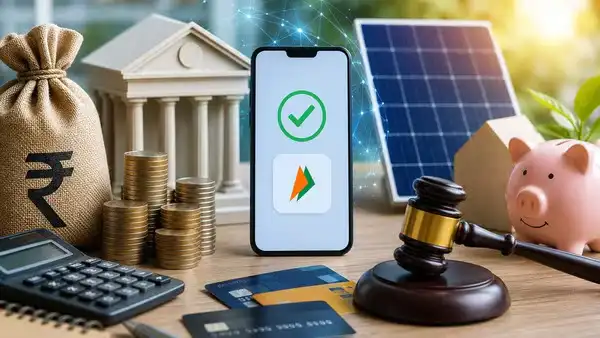
From June 1, 2026, new rules have been implemented to make UPI transactions more secure than ever. Now some more security features have also been added for payment of large amounts. However, it is not enough to simply rely on these new rules; You should also make sure some important settings are turned on on your phone and banking apps.
**Biometric authentication for large transactions**
Under the new rules, UPI PIN alone will no longer be sufficient for high-value UPI payments. Biometric authentication methods – such as fingerprint scanning or Face ID – will also be used, making it much more difficult for someone else to initiate a payment without your explicit permission.
**Recipient name will be visible before payment**
Now, whenever you send money to a mobile number or UPI ID, the recipient’s name will appear on the screen. This reduces the risk of money going to the wrong account or becoming a victim of fake identity fraud. *Also Read: How many days do you have to work to buy iPhone 17 Pro Max in India? You will be surprised to know.*
**Turn on biometric lock on your phone and UPI apps**
If your smartphone has fingerprint scanning or facial recognition, make sure these features are turned on. Also, turn on biometric lock on your banking apps – such as Google Pay, PhonePe, and Paytm – so that no one else can use them without permission.
**Put banking apps in a hidden folder**
Nowadays, most smartphones have the option to hide certain apps or place them in a “hidden folder.” By keeping your banking and UPI apps in such a secure folder, it becomes much more difficult for a stranger to find them. *Also read: Now there is no need to install separate AC in every room; A single unit can now cool 5 rooms – find out how!*
**Never turn off banking notifications**
Many people, fed up with the constant alerts, turn off their app notifications. However, you should always keep notifications on for your banking and UPI apps. This ensures that you get instant alerts about any transaction, so you can take timely action if any fraudulent activity occurs.
**Set a different ringtone for transaction alerts**
To add another layer of security, you can also set a different ringtone specifically for notifications from your banking and payment apps. As soon as any amount is withdrawn from your account, you will be immediately notified of this activity.
**Don’t forget to set a daily transaction limit**
Set a maximum daily transfer limit in your UPI or banking app. For example, if your daily spend is around ₹10,000, there is no need to set a limit higher than this. This ensures that any potential financial loss that may occur if fraud occurs is limited. If for any reason your phone or account falls into the hands of the wrong person, the daily transaction limit will prevent large amounts of money from being transferred in one go. This is considered a very effective method of protection. Also read: Does 5G network really drain your phone’s battery faster? Know how true this claim is.
**Stop international transactions unless necessary**
If you don’t make payments abroad or use international services, it’s best to keep the international transaction feature turned off. Most banks and UPI apps offer this option. Keeping the international transaction feature on unnecessarily may increase the risk of cyber fraud related to foreign payments. Keeping this feature off when not needed provides an extra layer of security.