If you are a Bharat Gas LPG customer, there is an important and timely information for you. Bharat Petroleum has made it mandatory for all its customers to complete the e-KYC (Electronic Know Your Customer) process based on biometric authentication. The company has issued a clear warning: Customers who do not complete their e-KYC process before June 30, 2026, may have their gas subsidy stopped and may also face problems in their gas connection. The good thing is that for this you do not need to go to your gas agency again and again; You can complete this entire process in just a few minutes using your mobile phone while sitting at your home. Let’s take a look at this easy and step-by-step process.
**Why is e-KYC important? Government and oil companies are tightening rules**
Right now, the government and oil marketing companies are placing a lot of emphasis on digital verification. The main objective of making biometric e-KYC mandatory for LPG customers is to identify and eliminate fraudulent or illegal gas connections. This system ensures that the LPG subsidy given by the government reaches the bank accounts of only the rightful beneficiaries – i.e. genuine customers – directly and without any irregularities.
**Complete the process from home using HelloBPCL App: Start with Steps 1 and 2**
First of all, go to Google Play Store (for Android) or Apple App Store (for iOS) on your smartphone. Search ‘HelloBPCL’, then download and install the app. When the app opens, enter the unique mobile number that is currently registered with your Bharat Gas connection. After this, a one-time password (OTP) will be sent to your registered number; Enter this OTP to log in. Once you reach the homepage of the app, find the section ‘LPG Services’ or ‘Bharat Gas’ and click on it.
**Aadhaar Verification and Submission: A Simple Process in Steps 3 and 4**
In the interface of the app, you will see an option named ‘eKYC’ or ‘Biometric Authentication’; Tap on it. After this, you will be asked to enter your Aadhaar number. After that, an OTP will be sent to the mobile number linked to your Aadhaar account. Enter this OTP to complete the verification process. After filling all the required information correctly, press the ‘Submit’ button. When the process is complete, you will receive confirmation via SMS on your mobile phone or a notification in the app.
**What to do if the application method does not work? Instructions for biometric verification in the agency**
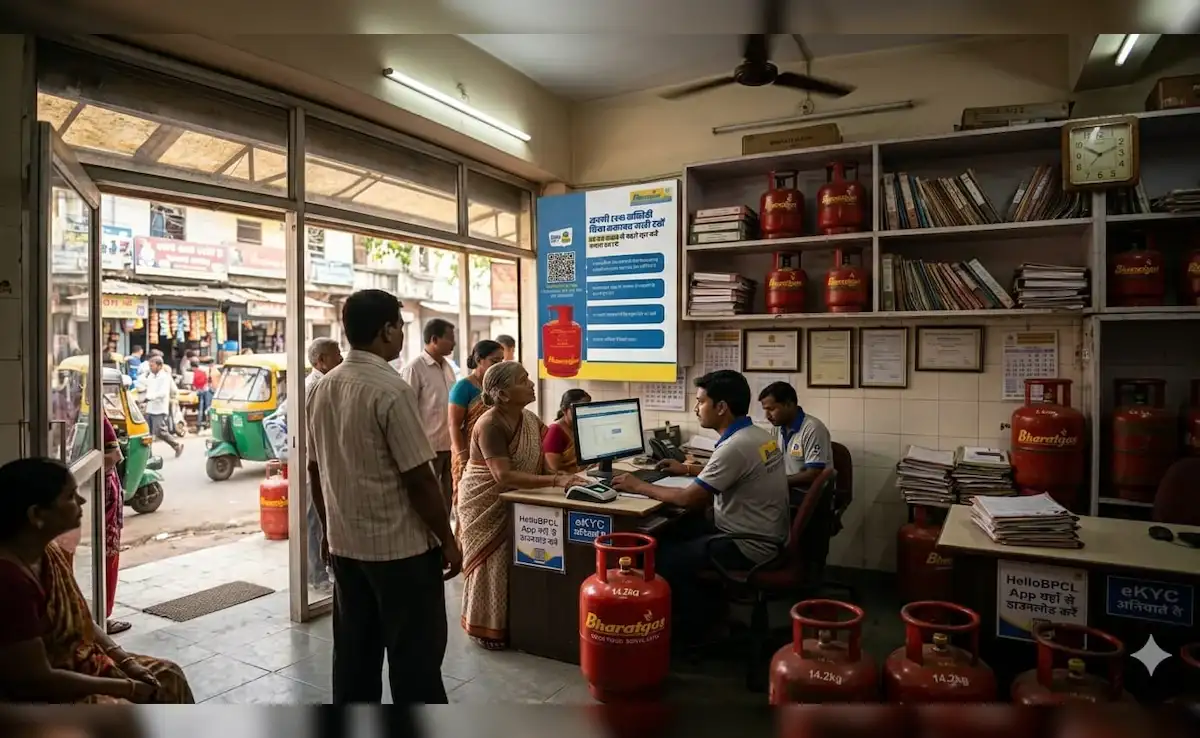
In some cases, OTP verification alone is not sufficient, and the system requires biometric authentication – typically, fingerprint scanning or facial recognition. If you are not able to complete this process through the app, then you will have to visit your nearest Bharat Gas dealer, gas agency or authorized center. There, by placing your thumb on the biometric scanner, you can update your e-KYC in a few seconds.
**Remember the June 30 deadline; Otherwise, your cooking gas subsidy will be stopped**
Please note that the deadline set by Bharat Petroleum is June 30, 2026. If you fail to complete the verification process by this date, not only will your subsidy be stopped, but you may also face restrictions or disruptions in booking your next gas cylinder. To avoid any last-minute technical glitches or rush, check the e-KYC status of all Bharat Gas connections at your home today and ensure that they are completely secure.
If you are a Bharat Gas LPG customer, there is an important and timely information for you. Bharat Petroleum has made it mandatory for all its customers to complete the e-KYC (Electronic Know Your Customer) process based on biometric authentication. The company has issued a clear warning: Customers who do not complete their e-KYC process before June 30, 2026, may have their gas subsidy stopped and may also face problems in their gas connection. The good thing is that for this you do not need to go to your gas agency again and again; You can complete this entire process in just a few minutes using your mobile phone while sitting at your home. Let’s take a look at this easy and step-by-step process.
**Why is e-KYC important? Government and oil companies are tightening rules**
Right now, the government and oil marketing companies are placing a lot of emphasis on digital verification. The main objective of making biometric e-KYC mandatory for LPG customers is to identify and eliminate fraudulent or illegal gas connections. This system ensures that the LPG subsidy given by the government reaches the bank accounts of only the rightful beneficiaries – i.e. genuine customers – directly and without any irregularities.
**Complete the process from home using HelloBPCL App: Start with Steps 1 and 2**
First of all, go to Google Play Store (for Android) or Apple App Store (for iOS) on your smartphone. Search ‘HelloBPCL’, then download and install the app. When the app opens, enter the unique mobile number that is currently registered with your Bharat Gas connection. After this, a one-time password (OTP) will be sent to your registered number; Enter this OTP to log in. Once you reach the homepage of the app, find the section ‘LPG Services’ or ‘Bharat Gas’ and click on it.
**Aadhaar Verification and Submission: A Simple Process in Steps 3 and 4**
In the interface of the app, you will see an option named ‘eKYC’ or ‘Biometric Authentication’; Tap on it. After this, you will be asked to enter your Aadhaar number. After that, an OTP will be sent to the mobile number linked to your Aadhaar account. Enter this OTP to complete the verification process. After filling all the required information correctly, press the ‘Submit’ button. When the process is complete, you will receive confirmation via SMS on your mobile phone or a notification in the app.
**What to do if the application method does not work? Instructions for biometric verification in the agency**
In some cases, OTP verification alone is not sufficient, and the system requires biometric authentication – typically, fingerprint scanning or facial recognition. If you are not able to complete this process through the app, then you will have to visit your nearest Bharat Gas dealer, gas agency or authorized center. There, by placing your thumb on the biometric scanner, you can update your e-KYC in a few seconds.
**Remember the June 30 deadline; Otherwise, your cooking gas subsidy will be stopped**
Please note that the deadline set by Bharat Petroleum is June 30, 2026. If you fail to complete the verification process by this date, not only will your subsidy be stopped, but you may also face restrictions or disruptions in booking your next gas cylinder. To avoid any last-minute technical glitches or rush, check the e-KYC status of all Bharat Gas connections at your home today and ensure that they are completely secure.